Unlocking Email Authentication
Unlock multi-factor email authentication through any of CPS Portal's user or product administration options.
-
Click Unlock Email Authentication.
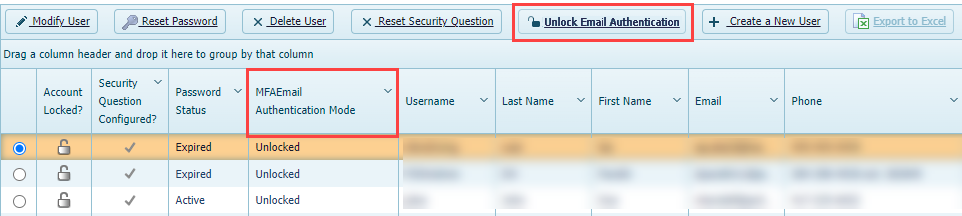
The user's multi-factor email
authentication is unlocked and the MFA Email Authentication Mode field
changes to Unlocked.